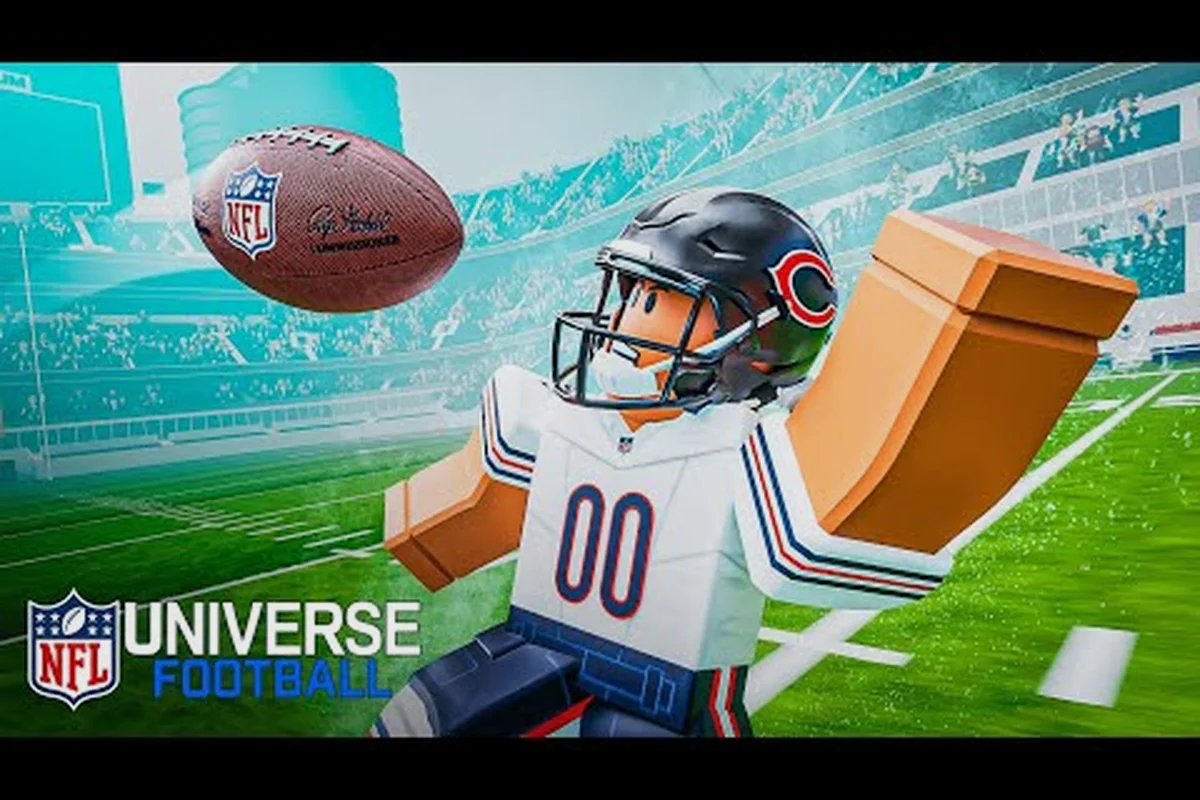
Learning how to play NFL Universe Football starts with understanding that every match rewards clean execution over flashy improvisation. The game gives you all 32 NFL teams from the first launch, which means your early hours should focus on mastering core mechanics rather than chasing meta builds. This NFL Universe Football beginner guide breaks down the exact controls, timing windows, and positioning habits that turn a confused first drive into a confident scoring series.
Understanding the Core Controls Before Your First Snap
The controls in NFL Universe Football are deliberately simple to learn but punishing to ignore. You will spend most of your time managing three layers of input: movement, ball handling, and defensive reactions. Movement uses the left stick or WASD depending on your platform, while ball handling shifts between throw, catch, and stiff-arm actions that each have distinct timing windows. Players who skip the camera settings guide often struggle with depth perception on deep routes, so adjusting your view angle early prevents missed reads on crossing patterns.
Movement and Positioning Fundamentals
Every route you run starts with how cleanly you break off the line. The game tracks acceleration and deceleration differently than a pure arcade title, which means sharp cuts require you to release the sprint input a half-second before changing direction. Holding sprint through a cut causes a Stumble Window that lasts roughly 0.4 seconds and leaves you vulnerable to press coverage. Community testing shows that players who master the sprint-release timing gain an average of 2.3 yards of separation on intermediate routes compared to those who hold sprint constantly.
| Input Action | Default Binding | Timing Window | Common Mistake |
|---|---|---|---|
| Sprint | Left Shift / R2 | Hold for straight-line speed | Holding through cuts |
| Cut / Juke | Right Stick / A | 0.3s release before direction change | Inputting too late |
| Stiff Arm | F / X | Active for 0.5s after contact | Spamming before defender arrives |
| Hurdle | Space / Y | Must input 0.2s before tackle | Reacting after tackle animation starts |
Ball Carrier Decision Flow
When you catch the ball in space, your first decision is whether to turn upfield or reset your feet. The game rewards north-south running on most plays because lateral movement drains stamina faster than forward progress. A Stamina Meter sits under your player indicator and depletes roughly 18% per hard cut, which means three consecutive jukes leave you at roughly 46% stamina and unable to break the next tackle. New players should treat every catch as a two-step read: identify the nearest defender's leverage, then commit to either one cut or a straight sprint.
Throwing Mechanics That Actually Work in Live Matches
Mastering how to throw in NFL Universe Football requires understanding that the game uses a Power Meter rather than a simple button press. You hold the throw input to charge the meter, and releasing at the right threshold determines both velocity and accuracy. A full-power throw travels farther but tightens the Accuracy Cone, while a half-power throw gives you a wider margin for error but risks underthrowing deep routes. The sweet spot for most intermediate throws sits between 65% and 80% of the meter.
Reading the Power Meter and Accuracy Cone
The Accuracy Cone appears as a translucent wedge in front of your quarterback when you begin a throw. Its width shrinks as you charge more power, which means deep bombs require near-perfect timing on both the meter and your receiver's route depth. Players report that the cone narrows by roughly 40% at full power compared to a touch pass, so the risk-reward calculation changes dramatically depending on down and distance. On third-and-short, a 55% power throw to a crossing route beats a 90% power attempt into double coverage almost every time.
| Throw Type | Power Range | Best Use Case | Risk Level |
|---|---|---|---|
| Touch Pass | 40-55% | Screens, flats, checkdowns | Low |
| Intermediate | 65-80% | Slants, digs, crossing routes | Medium |
| Deep Bomb | 85-100% | Go routes, post patterns | High |
| Bullet Pass | 75-90% | Tight windows, red zone | Medium-High |
Timing Routes and Anticipation Throws
The biggest leap in quarterback play comes when you stop throwing to where receivers are and start throwing to where they will be. Anticipation throws require you to release the ball before the receiver makes their break, which means you need to trust the route timing rather than visually confirming separation. A well-timed anticipation throw on a Corner Route beats man coverage even when the defender is in phase, because the ball arrives as the receiver turns. Players who wait for visible separation often throw late and watch the safety drive on the ball.
Catching Fundamentals and Ball Security
Understanding how to catch in NFL Universe Football means recognizing that the game distinguishes between possession catches and run-after-catch opportunities. The catch input triggers a Catch Window that lasts roughly 0.6 seconds, and pressing it too early causes a drop while pressing too late allows the defender to swat the ball. The safest approach for beginners is to use the possession catch on contested throws and save the aggressive catch for when you have clear separation.
Catch Types and When to Use Each
The game offers three catch variations that change how your receiver secures the ball. A Possession Catch sacrifices yards after the catch for a higher catch success rate, while an Aggressive Catch extends your receiver toward the ball but leaves them vulnerable to hit-stick tackles. The Run-After-Catch option lets you catch in stride but has the lowest success rate on contested throws. New players should default to possession catches until they develop the timing to recognize clean windows.
| Catch Type | Success Rate | Yards After Catch | Best Situation |
|---|---|---|---|
| Possession | High | Low | Contested throws, third down |
| Aggressive | Medium | Medium | Jump balls, end zone |
| Run-After-Catch | Low | High | Open field, no defender within 5 yards |
Ball Security After the Catch
Once you secure the catch, the game immediately checks for contact from nearby defenders. Holding the protect-ball input reduces your speed by roughly 15% but cuts fumble chance by nearly half. Players who refuse to protect the ball in traffic report a fumble rate of roughly 1 in 7 hits, while protected carries drop that to 1 in 13. The trade-off is worth it on short-yardage situations where securing the first down matters more than extra yards.
Building Your First Effective Drive
Your first successful drive comes from stringing together high-percentage plays rather than hunting for explosive gains. The game rewards methodical ball movement because each completed pass builds a Momentum Meter that slightly boosts your next play's execution. A three-play sequence of short completions fills roughly 40% of the momentum bar, which translates to a noticeable accuracy boost on your next throw.
Play Selection and Down Management
Understanding down and distance changes how you approach every snap. On first down, you want a play that gains at least 4 yards to stay ahead of the chains. Second-and-short opens up play-action and deep shots because the defense must respect the run. Third-and-long forces you into obvious passing situations, which means the defense will drop more defenders into coverage. The wide receiver guide explains route concepts in depth, but the core principle is simple: take what the defense gives you on early downs.
Reading Defensive Alignments
Before the snap, you have roughly 3 seconds to read the defensive formation and adjust. A single high safety usually means the defense is playing cover 1 or cover 3, which leaves intermediate routes open. Two high safeties suggest cover 2 or cover 4, which opens up the flats and underneath throws. Players who ignore pre-snap reads often throw directly into zone coverage because they never identified where the open grass would be.
| Defensive Look | Coverage Likely | Open Area | Best Throw |
|---|---|---|---|
| Single High Safety | Cover 1 / Cover 3 | Intermediate middle | Dig, slant |
| Two High Safeties | Cover 2 / Cover 4 | Flats, underneath | Flat route, checkdown |
| Press Alignment | Man coverage | Deep outside | Go route, fade |
| Soft Alignment | Zone coverage | Short middle | Curl, hitch |
Avoiding the Mistakes That Stall New Players
Most beginner struggles come from a handful of repeatable errors rather than a lack of talent. The most common mistake is forcing deep throws into coverage because the Accuracy Cone feels generous at low power. Another frequent issue is ignoring stamina management on defense, which leads to missed tackles and broken coverages late in drives. Players who fix these habits early see their completion percentage climb by double digits within their first ten matches.
Common Beginner Errors and Fixes
The first error is throwing late on timing routes, which happens when you wait for visual confirmation instead of trusting the route break. The fix is to practice anticipation throws in a low-pressure setting until the release timing becomes automatic. The second error is sprinting through every cut, which triggers the Stumble Window and kills your separation. The fix is releasing sprint a half-second before each direction change and letting the cut animation complete naturally.
Building Consistency Through Repetition
Consistency comes from running the same core plays until the timing feels automatic. Pick three passing concepts and three run plays, then run them repeatedly until you can execute each one without thinking about the inputs. Players who jump between random plays every snap never develop the muscle memory needed for clean execution. The how to slide guide covers additional movement techniques, but the foundation is simple: master a small playbook before expanding.
Frequently Asked Questions
What is the best way to start learning NFL Universe Football?
Start with the practice mode and run the same three passing plays until you can complete them consistently. Focus on power meter control and catch timing before worrying about advanced route concepts. Most players see meaningful improvement after roughly 30 minutes of focused repetition on core mechanics.
How do I throw a clean spiral in NFL Universe Football?
Release the throw input when the Power Meter reaches the 65-80% range for intermediate throws. The accuracy cone narrows at higher power, so avoid full-power throws until you master the timing. A clean release happens when you let go at the top of the meter's sweet spot rather than spamming the input.
Why do my receivers keep dropping passes?
Drops usually happen because you are pressing the catch input too early or too late. The Catch Window lasts roughly 0.6 seconds, and mistiming it causes a drop animation. Use possession catches on contested throws and only attempt aggressive catches when your receiver has clear separation from the nearest defender.
What is the most important beginner tip for NFL Universe Football?
Master the sprint-release timing before anything else. Holding sprint through cuts triggers a Stumble Window that kills your separation and leaves you vulnerable to press coverage. Releasing sprint a half-second before each direction change is the single highest-impact habit you can build in your first few matches.
How do I read defensive coverages before the snap?
Look at the safety alignment first. One high safety usually means cover 1 or cover 3, which opens intermediate routes. Two high safeties suggest cover 2 or cover 4, which opens the flats. Use the pre-snap read to pick your primary receiver before the ball is snapped rather than scanning after the play starts.